
Microsoft Smart Screen Blocks Downloading or Installing
The following steps will allow you to turn off Microsoft Windows Security Settings that may block the downloading of our products.
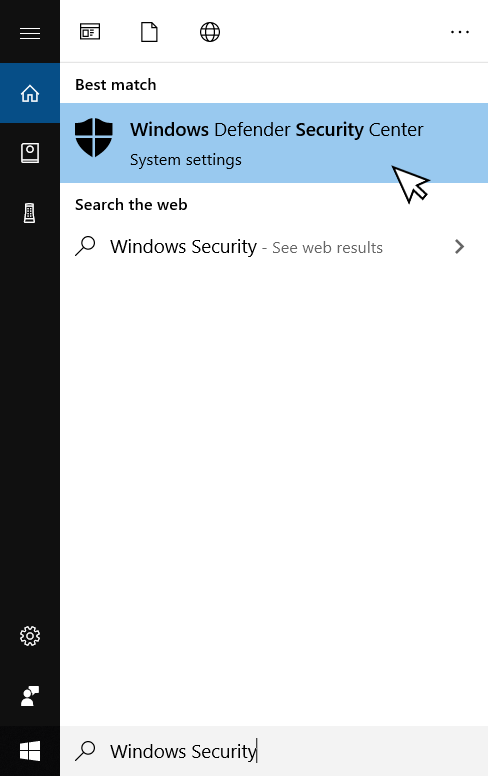
Step 1. Go to your Search bar and type in "Windows Security Settings" and tap your enter key.
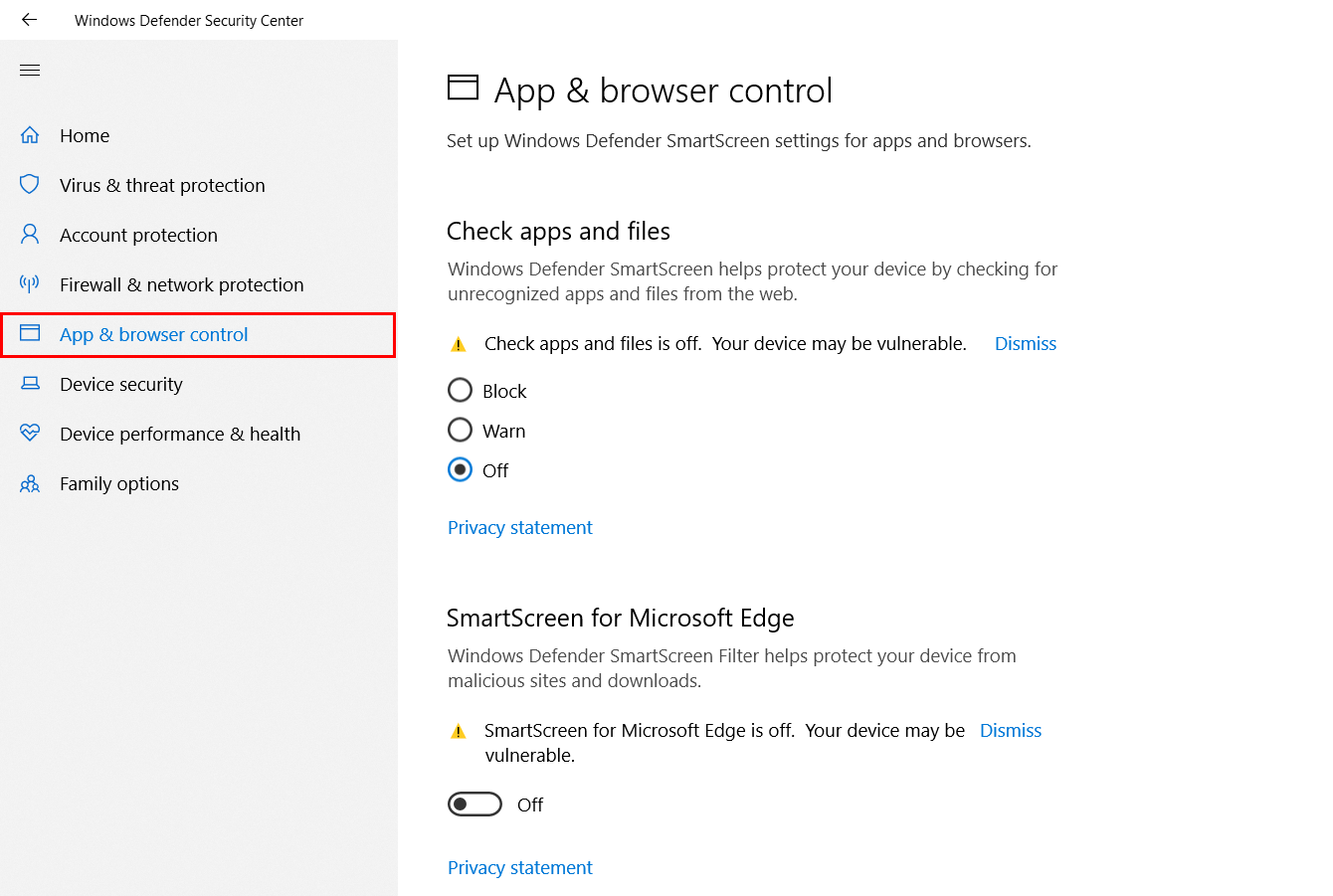
Step 2. You will see the following Window open on your screen. Select "App and Browser Control" on this screen.
Step 3. Now you should see the screen below. On this screen turn off "Check Apps and Files" and "Smart Screen for Edge"
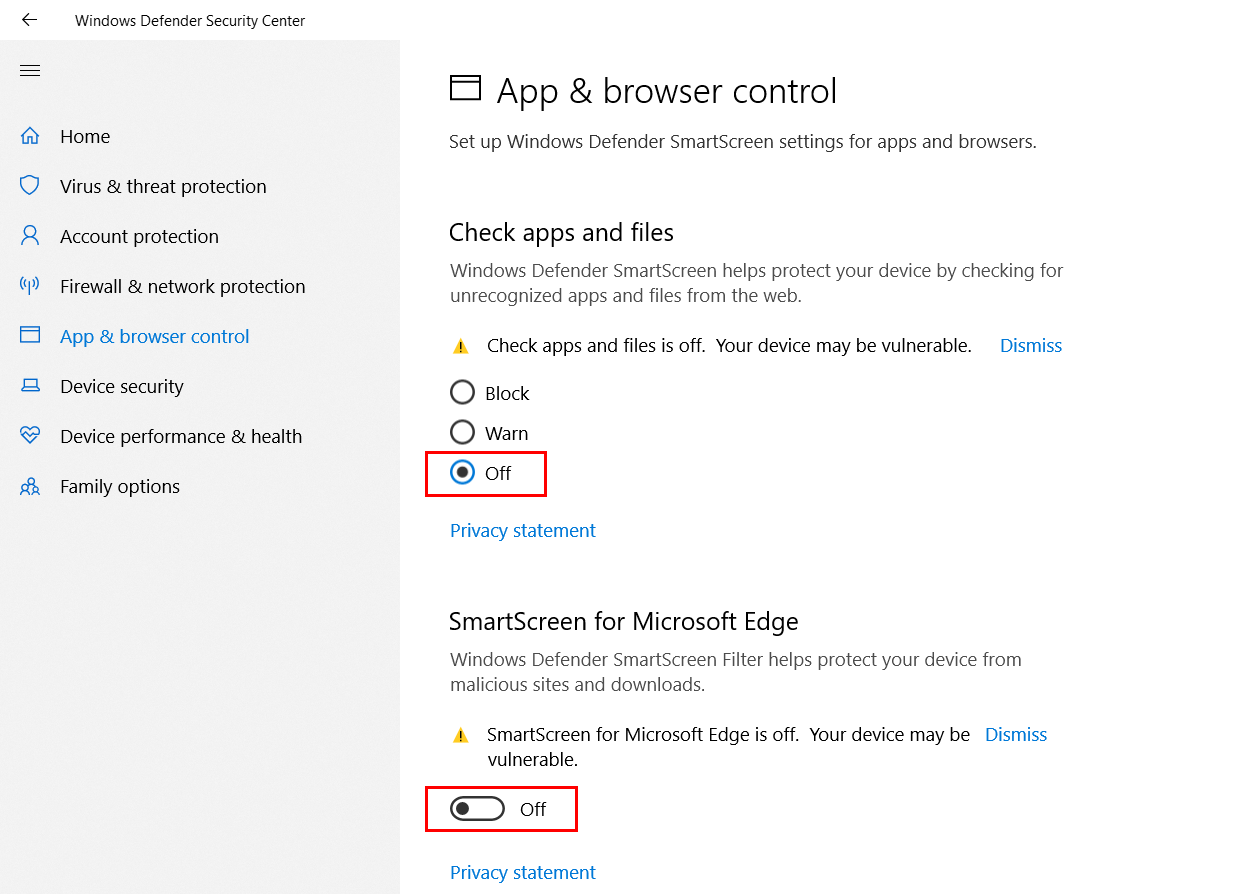
Once both are turned off, try downloading or installing again.